Anodized Aluminum vs Stainless Steel for Laser Engraving: Which Should You Buy?
Black anodized aluminum and black stainless steel blanks both mark silver-on-black under the laser; steel cards resist bending, aluminum packs bring sleeves and larger sheets.

On this page
Top picks at a glance
As an Amazon Associate I earn from qualifying purchases.
- 1
 10PCS 5052 Black Anodized Aluminum Sheet 5x7 Inch 0.8mm CNC9.6/10View on Amazon
- 2
 30 Pcs 0.8 mm 304 Stainless Steel Metal Business Card Blank9.6/10View on Amazon
- 3
 OMTech Laser Marking Spray9.4/10View on Amazon
- 4
 10PCS 7x5x1/32View on Amazon
- 5
 PATIKIL 7x5x1/32inch Anodized Aluminum SheetView on Amazon
- 6
 6Pcs Black Anodized Aluminum Sheet 5" x 7" x 1/32"View on Amazon
- 7
 PATIKIL 7x5x1/32inch Anodized Aluminum Sheet SetView on Amazon
- 8
 100Pcs Blank Dog TagsView on Amazon
- 9
 StayMax Anodized Aluminum Engraving Blanks 2x3 Inch 25 PackView on Amazon
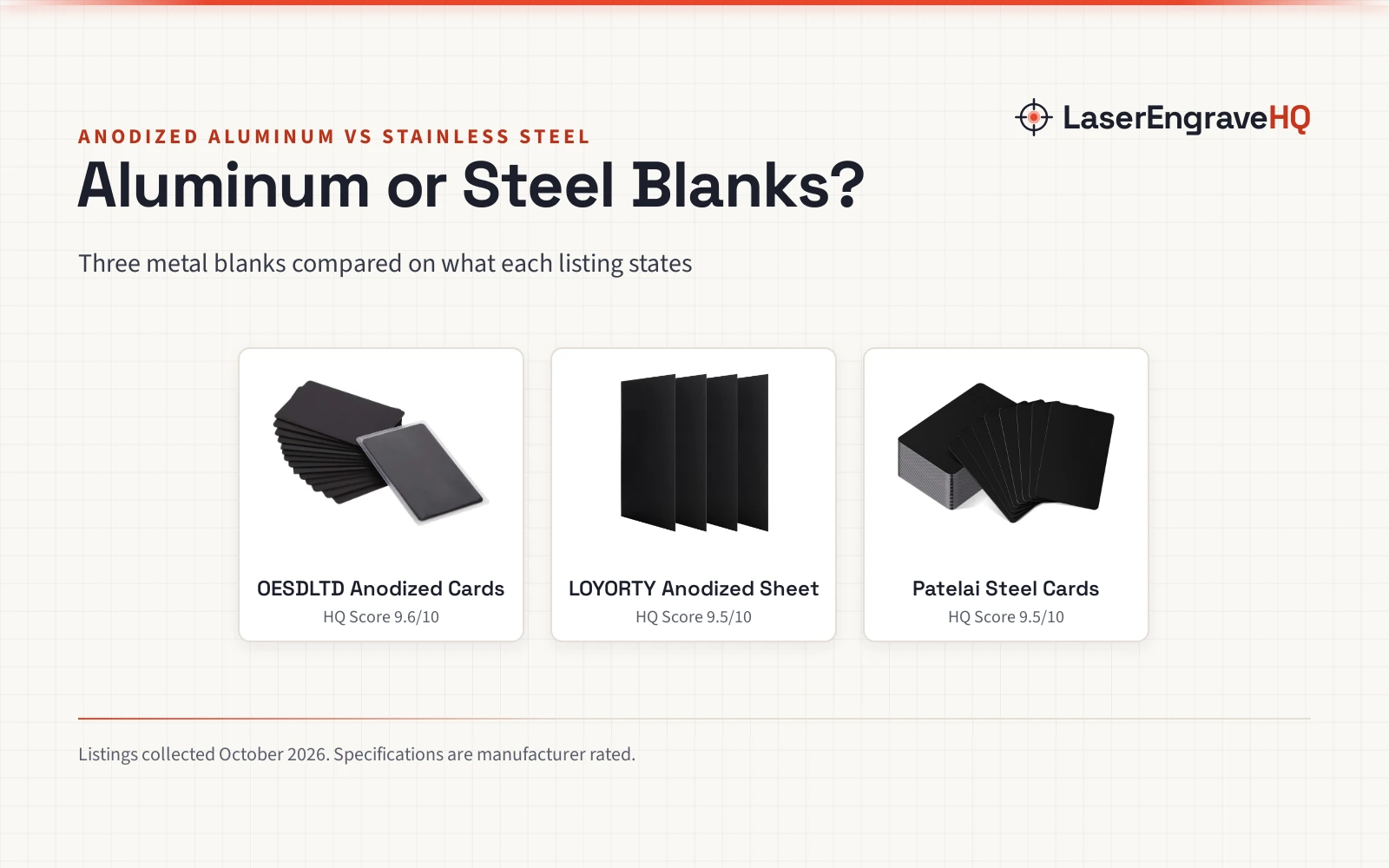
Verdict: choose anodized aluminum if you want crisp, high-contrast marks with easy handling on a diode or CO2 laser, like the OESDLTD cards or the LOYORTY sheets. Choose stainless steel if you want the toughest blank that resists bending, like the Patelai cards, and you are happy to dial in your settings for metal.
If you sell metal business cards, tags or small plaques, the anodized aluminum vs stainless steel for laser engraving question comes up with the first order. Both of these listings are black blanks that the laser marks by removing the dark surface to reveal bright metal beneath, which is why both read as crisp silver-on-black designs. The difference is in the metal under the coating: aluminum is forgiving to handle, steel is harder and tougher. This comparison walks through 3 listings, 2 aluminum and 1 steel, scored on what each listing actually states.
LaserEngraveHQ earns a commission from purchases made through these links, at no extra cost to you. Read our affiliate disclosure.
Machines on the list


Thick 15 PCS 0.8mm Black Anodized Aluminum Metal
15 black anodized aluminum business cards, 86 x 54 mm, with frosted protective sleeves.
Pros
- Black anodized face marks silver-on-black under the laser
- 15 frosted protective sleeves included in the box
- Rounded corners and smooth edges that do not hurt hands
- Anodized aluminum will not rust and resists scratches
Cons
- No warranty term is stated
- Card size only: no larger format for plaques
- Fewer cards than the 30-card steel pack
- Frosted finish may mute the mark versus gloss blanks

4PCS 6 x 12 x 1/25 (0.04”)
4 black anodized aluminum sheets, 6 in wide, in 5052 alloy for plaques and signs.
Pros
- 5052 aluminum alloy with stated corrosion resistance
- Larger 6 in format suits plaques, signs and labels
- Protective film on both sides guards the finish in transit
- No burrs on edges and no cracks or pores stated
Cons
- No warranty term is stated
- Title says 6 x 12 in while bullets say a shorter length
- 4 sheets is the smallest count here
- Size and thickness figures come in inches only, with no metric equivalents stated

Patelai 30 Pcs 0.8 mm Business Cards Blank Metal
30 black stainless steel business cards, 86 x 54 mm, solid and hard.
Pros
- Solid and hard: not easy to bend, deform or break
- 30 blanks is the largest count here
- Black face marks under the laser like the aluminum blanks
- Smooth and flat to the touch per the listing
Cons
- No warranty term is stated
- No protective sleeves included
- Heavier pack at 11.04 ounces for 30 cards
- Steel wants dialed-in settings compared with aluminum
Other machines to compare
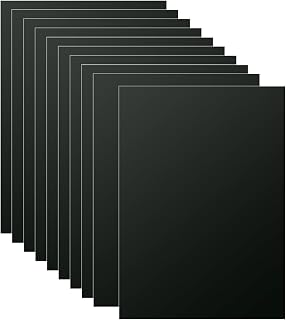 10PCS 7x5x1/32Check price on Amazon
 PATIKIL 7x5x1/32inch Anodized Aluminum SheetCheck price on Amazon
 6Pcs Black Anodized Aluminum Sheet 5" x 7" x 1/32"Check price on Amazon
 PATIKIL 7x5x1/32inch Anodized Aluminum Sheet SetCheck price on Amazon
 100Pcs Blank Dog TagsCheck price on Amazon
 StayMax Anodized Aluminum Engraving Blanks 2x3 Inch 25 PackCheck price on Amazon
Side by side
| Blank | HQ Score | Material | Size | Thickness | Count |
|---|---|---|---|---|---|
| OESDLTD Anodized Cards | 9.6/10 | Anodized aluminum | 86 x 54 mm | 0.8 mm | 15 |
| LOYORTY Anodized Sheet | 9.5/10 | Anodized aluminum, 5052 alloy | 6 x 12 in (title); shorter in bullets | 0.04 in | 4 |
| Patelai Steel Cards | 9.5/10 | Stainless steel | 86 x 54 mm | 0.8 mm | 30 |
Specifications are manufacturer rated, as published on each listing and collected 18 October 2026.
Anodized aluminum vs stainless steel for laser engraving: how each marks
Both sides here are black blanks, so the marking mechanism is the same idea: the laser beam removes the dark anodized or coated layer and exposes the bright metal underneath, leaving a silver mark on a black face. That is why black anodized aluminum is a favorite for diode and CO2 lasers: the contrast is strong even at modest settings, and both aluminum listings here are marketed as laser engraving blanks.
Stainless steel is the harder customer. Bare stainless reflects more of the beam than the black coated faces, so diode lasers often leave only a faint mark on it without a marking aid, while fiber lasers mark it dark directly. The Patelai cards sidestep that problem by starting black: the laser only has to clear the dark surface, not fight the bare metal. If you plan to mark uncoated stainless, see our fiber vs MOPA laser for metal comparison and the best laser marking spray for metal picks.
Sizes and formats
Two listings are business card blanks at the same footprint. The OESDLTD pack holds 15 black anodized aluminum cards at 86 x 54 mm and 0.8 mm thick, with 15 frosted protective sleeves in the box. The Patelai pack holds 30 black stainless steel cards at 86 x 54 mm (3.39 x 2.13 in) and 0.8 mm thick, with no sleeves stated. Same size, same thickness, different metal and different count.
The LOYORTY listing is the odd format: 4 larger sheets for plaques and signs rather than cards. The title states 6 x 12 x 0.04 in, while the bullets state a shorter length, so the two disagree; measure against your design before you cut. The sheets are 5052 aluminum alloy with a wear-resistant protective film on both sides, which the listing says protects the black finish in transit.
Durability and handling
On stated toughness, the steel side leads. The Patelai listing calls its cards solid and hard, not easy to bend, deform or break under pressure, and describes them as smooth and flat to the touch. The OESDLTD listing says its anodized aluminum will not rust and is not easy to scratch, with a frosted surface that resists fingerprints, plus rounded corners and smooth edges that do not hurt your hands. The LOYORTY listing claims a durable 5052 alloy with corrosion resistance, no cracks or pores, and no burrs on the edge.
Weight tells a mixed story. The OESDLTD 15-card pack lists 7.37 ounces (cards plus sleeves) and the Patelai 30-card pack lists 11.04 ounces, both at 0.8 mm thick. The Patelai listing itself calls its cards light in weight and convenient to carry, so the pack weights alone do not award aluminum the lighter choice. Neither listing states a warranty term, so buy for the project in front of you.
Choose anodized aluminum if
- You want the crispest silver-on-black mark with the least fuss on a diode or CO2 laser.
- You hand out cards and want sleeves in the box, like the 15 frosted sleeves with the OESDLTD pack.
- You make plaques or signs bigger than a business card and want the 6 in LOYORTY sheets.
- You want the frosted, fingerprint-resistant face for cards you hand out.
Choose stainless steel if
- You want the toughest card in this comparison: solid, hard, and resistant to bending per the Patelai listing.
- You need 30 blanks in one pack for a big run of keepsake or VIP cards.
- Your buyers equate weight and rigidity with quality, and you have dialed in settings for metal.
Project Match
| Project | Pick | Why it fits |
|---|---|---|
| Business cards to hand out | OESDLTD Anodized Cards | 86 x 54 mm cards with frosted sleeves in the box |
| Big runs of keepsake cards | Patelai Steel Cards | 30 blanks, solid and hard per the listing |
| Plaques, signs and labels | LOYORTY Anodized Sheet | 4 larger sheets for signs and badges |
| Practice blanks for a new design | OESDLTD Anodized Cards | 15-pack, forgiving marks on diode lasers |
FAQ: lasers and CNC
Can a diode laser engrave stainless steel?
On black-coated blanks like the Patelai cards, yes: the laser clears the dark surface to reveal the metal beneath, which diode lasers handle. On bare, uncoated stainless, a diode laser usually leaves only a faint mark; that job wants a fiber laser or a marking spray.
Why does anodized aluminum mark so crisply?
The laser removes the dyed anodized layer and exposes the bright aluminum underneath, so the mark reads as silver on black. Both aluminum listings here are black anodized blanks marketed for exactly that effect.
Which blank is tougher, aluminum or stainless steel?
Of these 3 listings, the stainless side. The Patelai listing calls its cards solid and hard, not easy to bend, deform or break under pressure. The aluminum listings claim scratch and rust resistance rather than rigidity.
Do the aluminum cards rust?
The OESDLTD listing states its anodized aluminum cards will not rust, and the LOYORTY listing claims corrosion resistance for its 5052 alloy sheets.
What size are the business card blanks?
Both card listings are 86 x 54 mm and 0.8 mm thick; the Patelai also states 3.39 x 2.13 in. The LOYORTY sheets are the larger format at 6 in wide.
Related: our best metal business cards picks, the best metal business cards roundup. For machine choice, see metal for laser cutting.