Cricut Explore vs Cricut Maker: Which One Should You Buy?
Two Explore 5 bundles and two Maker machines compared on materials, tools, cutting width and bundles, with a verdict on which side fits which maker.

On this page
Top picks at a glance
As an Amazon Associate I earn from qualifying purchases.
- 1
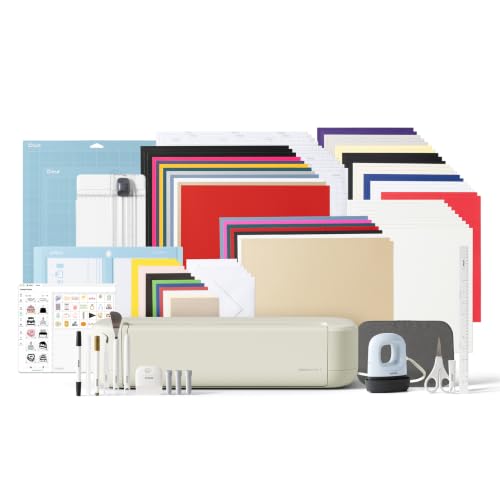 Cricut Explore® 5 Ultimate Bundle + Digital Content9.6/10View on Amazon
- 2
 Cricut Maker® 5 Essential Bundle + Digital Content9.7/10View on Amazon
- 3
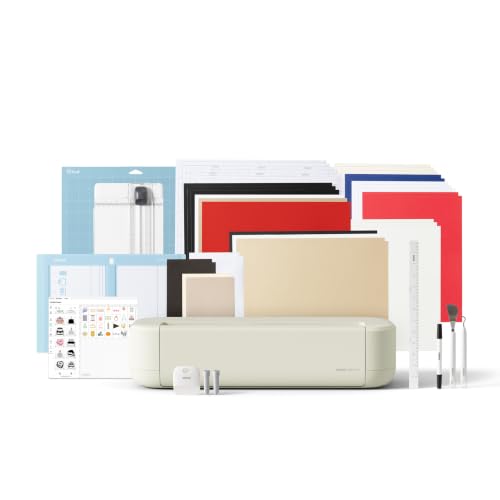 Cricut Explore® 5 Essential Bundle + Digital Content9.6/10View on Amazon
- 4
 Cricut Explore® 5 + Deluxe Bundle + Digital ContentView on Amazon
- 5
 Cricut Explore® 5 Deluxe Bundle + $100 Digital ContentView on Amazon
- 6
 Cricut Explore 5 Essential Bundle + Rainbow SamplerView on Amazon
- 7
 18V 3A Power Cord Compatible with Cricut MakerView on Amazon
- 8
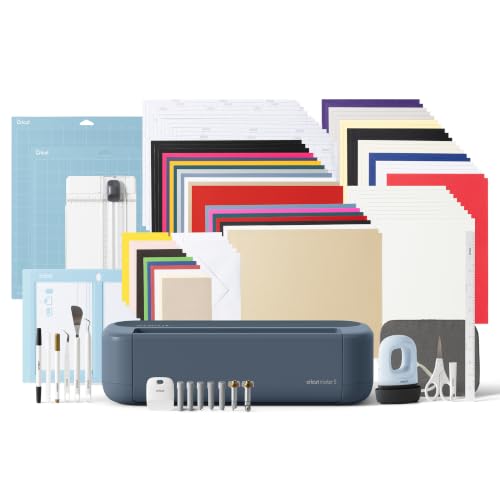 Cricut Maker® 5 Ultimate Bundle + Digital ContentView on Amazon
- 9
 Cricut Maker® 5 Deluxe Bundle + Digital ContentView on Amazon
A maker with vinyl, cardstock and fabric blanks on the bench wants one cutter for decals, shirts and gifts, and the choice comes down to cricut explore vs cricut maker. Pick the Explore side for everyday vinyl, iron-on and cardstock work, and pick the Maker side for leather, foam core and engraving work, which the Maker listings name and the Explore listings do not. Both sides cut the same width on the listings that state one, so width does not separate them.
LaserEngraveHQ earns a commission from purchases made through these links, at no extra cost to you. Read our affiliate disclosure.
Verdict: the Maker side is the stronger set, with 300+ materials on both Maker listings against 100+ on the Explore listings, and 13 tools on the Maker 5 listing against 6 on the Explore listings. The Explore side is the simpler start, with the same 12 in (30.5 cm) cutting width on the listings that state one and bundles up to 135 projects. Choose by what you plan to cut.
Machines on the list
Cricut Maker® 5 Essential Bundle + Digital
A Maker bundle with a 12 in (30.5 cm) cutting width, 300+ materials, 13 tools, engraving up to 3 mm and supplies for 65 projects.
Pros
- 300+ materials, including fabric, leather and foam core board
- 13 tools, including engraving, debossing and scoring
- Engraves metal and acrylic up to 3 mm
- Supplies for 65 projects, including Premium Fine Point, Scoring and Engraving tools
Cons
- No warranty term is stated
- Specialty tools sold separately
- Weight of 25.0 pounds
- Full content library needs a Cricut Access Subscription

Cricut Maker 4 - Smart Cutting Machine (Seashell)
A Maker machine with 300+ materials, engraving, debossing and perforation, Print-Then-Cut with an inkjet printer and a bundle with a materials sampler.
Pros
- 300+ materials, including leather, wood and iron-on HTV
- Engraves, debosses and perforation as well as cuts
- Print-Then-Cut works with most inkjet printers
- Bundle includes a materials sampler, Light Grip Mat and Weeder
Cons
- No tool count is stated
- No cutting width is stated
- No thickness is stated
- No warranty term is stated
Cricut Explore® 5 Ultimate Bundle + Digital
An Explore 5 bundle with a 12 in (30.5 cm) cutting width, 100+ materials, 6 tools, supplies for 135 projects and a Cricut EasyPress Mini LT heat press.
Pros
- Supplies for 135 projects, above the 65-project bundles here
- Cricut EasyPress Mini LT heat press included in the bundle
- Works with 6 tools for writing, drawing, foiling, scoring and cutting
- Print-then-cut around inkjet-printed images for full-color stickers
Cons
- Deep Cutting Tool sold separately
- Limited Warranty states no term
- 100+ materials, below the 300+ on the Maker listings
- No engraving is mentioned
Cricut Explore® 5 Essential Bundle + Digital
An Explore 5 bundle with a 12 in (30.5 cm) cutting width, 100+ materials, 6 tools and supplies for 65 projects.
Pros
- 100+ popular materials, including vinyl, iron-on and cardstock
- 6 tools for writing, drawing, foiling, scoring and cutting
- Print-then-cut around inkjet-printed images
- Bluetooth connection to the free Design Space app
Cons
- Deep Cutting Tool sold separately
- Limited Warranty states no term
- 65 projects, below the 135-project bundle
- No engraving is mentioned
Other machines to compare
 Cricut Explore® 5 + Deluxe Bundle + Digital ContentCheck price on Amazon
 Cricut Explore® 5 Deluxe Bundle + $100 Digital ContentCheck price on Amazon
 Cricut Explore 5 Essential Bundle + Rainbow SamplerCheck price on Amazon
 18V 3A Power Cord Compatible with Cricut MakerCheck price on Amazon
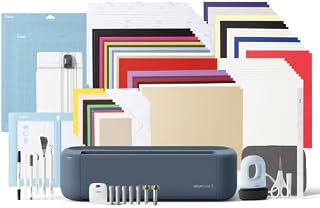 Cricut Maker® 5 Ultimate Bundle + Digital ContentCheck price on Amazon
 Cricut Maker® 5 Deluxe Bundle + Digital ContentCheck price on Amazon
Cricut explore vs cricut maker side by side
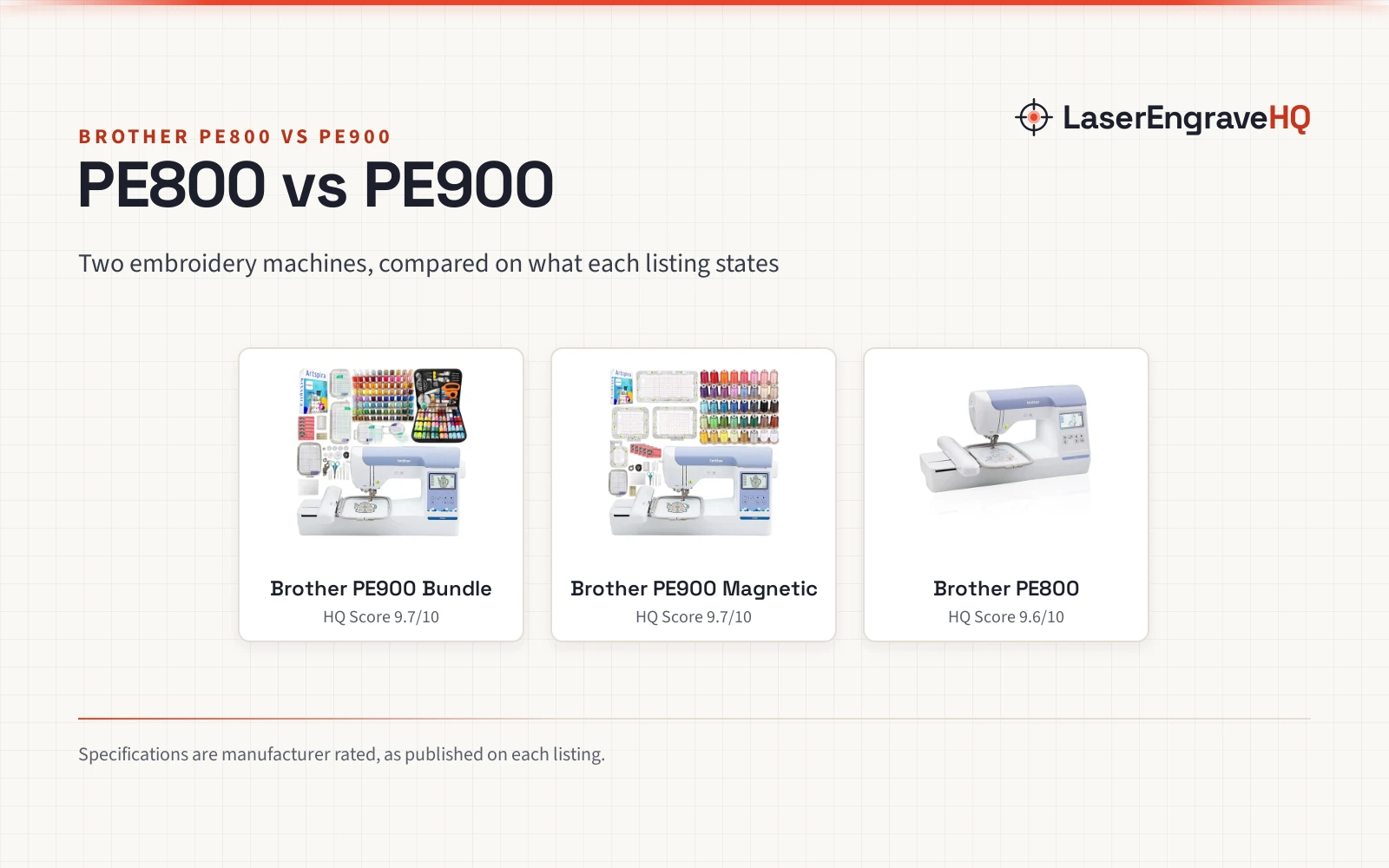
| Spec | Cricut Maker 5 | Cricut Maker 4 | Cricut Explore 5 Ultimate | Cricut Explore 5 Essential |
|---|---|---|---|---|
| Score | 61 | 59 | 58 | 56 |
| Side | Maker | Maker | Explore | Explore |
| Materials | 300+ | 300+ | 100+ | 100+ |
| Tools | 13 | Not stated | 6 | 6 |
| Cutting width | 12 in (30.5 cm) | Not stated | 12 in (30.5 cm) | 12 in (30.5 cm) |
| Bundle | 65 projects | Sampler + 30 images | 135 projects | 65 projects |
| Warranty | Not stated | Not stated | Limited, no term | Limited, no term |
| Compactness | 30% more compact | Not stated | 30% more compact | 30% more compact |
| Functions | Cut, engrave, write, draw, foil, score, deboss | Cut, draw, foil, score, engrave, deboss, perforation | Write, draw, foil, score, cut | Write, draw, foil, score, cut |
Specifications are manufacturer rated, as published on each listing and collected 3 November 2026. Where a listing leaves a figure unstated, the table says so.
Materials and tools
The Explore listings precision-cut 100+ popular materials, including vinyl, iron-on, cardstock and printable materials, and work with six tools. The Explore machines write, draw, foil, score and cut intricate designs, and the Deep Cutting Tool, sold separately, works with foam and rubber. The Maker 5 listing precision-cuts 300+ materials, including vinyl, iron-on, cardstock and fabric, plus thicker materials up to 3 mm such as leather and foam core board, and works with 13 tools. The Maker 5 listing also engraves materials up to 3 mm like metal and acrylic, and lists cutting, engraving, writing, drawing, foiling, scoring and debossing. The Maker 4 listing works with 300+ materials, including leather, wood, vinyl, iron-on HTV, cardstock and stickers, and lists cutting, drawing, foiling, scoring, engraving, debossing and perforation, but states no tool count and no thickness.
Cutting width and size
Both Explore 5 listings and the Maker 5 listing give the same dependable 12 in (30.5 cm) cutting performance, and both the Explore 5 and Maker 5 listings describe their machines as 30% more compact than previous models. The Maker 4 listing states no cutting width and no compactness figure, and gives machine dimensions of 7.1 in x 22.1 in x 6.2 in.
Bundles and content
The Explore 5 Essential bundle includes supplies for 65 projects, and the Explore 5 Ultimate bundle includes supplies for 135 projects plus a Cricut EasyPress Mini LT heat press. The Maker 5 Essential bundle includes supplies for 65 projects. The Maker 4 bundle includes a materials sampler plus 30 bonus images. Both Explore 5 bundles include 25 additional premium-quality images with purchase, plus 1 font, and the Maker 5 bundle does the same. The free out-of-the-box library on the Explore 5 listings holds 3,000+ images, 100+ fonts and 1,000+ projects, and the Maker 4 free library holds 3,000+ images and 100+ fonts. The larger libraries need a Cricut Access Subscription: the Maker 5 listing cites 1.8 million+ images, 1,500+ fonts, 300,000+ projects and 50,000 templates with a subscription, and the Maker 4 listing cites 1,500,000+ images, 1,000+ fonts and 100,000+ projects with a paid subscription.
Support and warranty
None of the 4 listings states a warranty term with a length, so no pick earns warranty points. The Explore listings state a Limited Warranty with no term, and the Maker listings state no warranty term at all. All four machines connect to Design Space, the free app, with Bluetooth connection on the Explore listings. No listing here states a safety certification, so no pick earns safety points either.
Choose the Cricut Explore 5 if
Choose the Explore 5 if the work is vinyl, iron-on, cardstock and printable materials for decals, apparel, stickers and cards. The Explore 5 listings give the same 12 in (30.5 cm) cutting width as the Maker 5 listing, the same free image and font counts as the Maker 4 listing, and bundles of 65 or 135 projects. Skip the Explore 5 if the work needs leather, engraving on metal or acrylic, or debossing, which the Explore listings do not name.
Choose a Cricut Maker if
Choose a Maker if the work runs past vinyl and cardstock into leather, wood, foam core board and engraving. The Maker 5 listing gives 300+ materials, 13 tools and engraving up to 3 mm, and the Maker 4 listing gives 300+ materials with engraving, debossing and perforation. The Maker 4 listing leaves tool count, cutting width and thickness unstated, so a buyer who wants those figures stated should weigh the Maker 5 listing instead.
FAQ: lasers and CNC
Is Cricut Maker better than Explore?
Not for everyone. The Maker listings state more materials and more functions, including engraving, while the Explore listings match the Maker 5 listing on cutting width and match the Maker 4 listing on free image and font counts. Pick the Maker side for leather, engraving and thicker materials, and the Explore side for everyday vinyl, iron-on and cardstock work.
Can the Explore 5 cut leather?
The Explore listings do not name leather. They name vinyl, iron-on, cardstock and printable materials, plus foam and rubber with the Deep Cutting Tool, sold separately. Leather is named only on the Maker listings, along with wood, fabric and foam core board.
Do these machines need a subscription?
No. Design Space is a free app, and the Explore listings describe connecting a mobile or desktop device through Bluetooth, while the Explore listings and the Maker 4 listing describe free content libraries. A Cricut Access Subscription is optional and unlocks the larger libraries cited on the Maker listings.
Which bundle should I pick?
Match the bundle to the project count. The Explore 5 Essential bundle and the Maker 5 Essential bundle include supplies for 65 projects each, the Explore 5 Ultimate bundle includes supplies for 135 projects plus a Cricut EasyPress Mini LT heat press, and the Maker 4 bundle includes a materials sampler plus 30 bonus images.
Can these machines print then cut?
The Explore 5 listings describe print-then-cut with a home inkjet printer, and the Maker 4 listing describes it with most inkjet printers: print the design, and the machine recognizes and precision-cuts around the printed image. The Maker 5 listing does not mention print-then-cut.
Related: the cutting machines category, the heat presses and sublimation category, the best t shirt heat press machine and the laser engraver vs heat press.