SCULPFUN iCube Ultra vs xTool F2: Which One Should You Buy?
A practical comparison of the SCULPFUN iCube Ultra and xTool F2: how dual-laser sources, flatbed versus galvo motion, safety enclosures, and material versatility decide the right pick for your shop.

On this page
Top picks at a glance
As an Amazon Associate I earn from qualifying purchases.
- 1
 xTool F2 Ultra 60W MOPA & 40W Diode Dual Laser Engraver 100+9.6/10View on Amazon
- 2
 xTool S1 40W Laser Cutter and Laser Engraver for Tumblers9.7/10View on Amazon
- 3
 xTool RA3 World's First Smart MagSwap Rotary for xTool P39.2/10View on Amazon
- 4
 xTool F1 Ultra 20W Fiber & Diode Dual Laser Engraver 16MPView on Amazon
- 5
 Laser Engraving Alignment Jig for xTool F1 UltraView on Amazon
- 6
 xTool F2 Ultra UV Laser EngraverView on Amazon
- 7
 xTool F2 Ultra Single 60W MOPA Fiber Laser Engraver 100+View on Amazon
- 8
 xTool M1 Ultra Riser Base with Honeycomb PanelView on Amazon
Deciding between the SCULPFUN iCube Ultra vs xTool F2 comes down to motion architecture, bed format, and primary project goals. The SCULPFUN iCube Ultra is an enclosed desktop gantry machine featuring a 12W blue diode laser module paired with a 1.2W infrared module over a 150 x 150 mm work area, making it suitable for hobbyists who want contained indoor cutting and flatbed craft engraving. In contrast, the xTool F2 uses high-speed galvanometer mirrors for rapid batch marking across small blanks and metals, prioritizing speed over an enclosed cutting chamber. If you plan to cut thin wood blanks and engrave wide decorative panels indoors, the iCube Ultra delivers a protected workspace; if you need rapid surface marks on jewelry, small giftware, and metal tags, the xTool F2 offers dedicated marking efficiency.
Other machines to compare
 xTool F1 Ultra 20W Fiber & Diode Dual Laser Engraver 16MPCheck price on Amazon
 Laser Engraving Alignment Jig for xTool F1 UltraCheck price on Amazon
 xTool F2 Ultra UV Laser EngraverCheck price on Amazon
 xTool F2 Ultra Single 60W MOPA Fiber Laser Engraver 100+Check price on Amazon
 xTool M1 Ultra Riser Base with Honeycomb PanelCheck price on Amazon
LaserEngraveHQ earns a commission from purchases made through these links, at no extra cost to you. Read our affiliate disclosure.
Our evaluation relies strictly on verified maker specifications and published listings. While the SCULPFUN iCube Ultra has confirmed technical figures in our reference data, public listing figures for the xTool F2 vary across retail bundles. We compare their underlying beam technologies and motion mechanics directly without citing unconfirmed numbers.
Step 1: Understand the core laser sources and wavelengths
Laser wavelengths determine which materials a machine can process. The SCULPFUN iCube Ultra combines a 12W blue diode laser module with a 1.2W infrared laser module. The 12W blue diode operates with an ultra-fine 0.06mm laser spot for engraving bamboo, leather, kraft paper, and dark opaque plastics. The maker lists the module for light craft cutting and engraving, though no specific maximum cut thickness in millimeters is published for the iCube Ultra. The companion 1.2W infrared module is engineered for surface marking on plastics and bare metals such as 304 stainless steel without requiring chemical marking sprays.
The xTool F2 similarly pairs dual laser wavelengths for organic surfaces and metallic blanks, but its optical delivery is tuned for rapid surface engraving rather than deep cutting. If you are comparing beam types for your shop, read how to choose a laser engraver to match wavelengths to your materials.
Step 2: Compare motion mechanics and engraving speed
Motion design marks the main mechanical difference between the SCULPFUN iCube Ultra vs xTool F2. The SCULPFUN iCube Ultra uses an enclosed flatbed gantry driven by a 32-bit motherboard and linear guide rails. The maker lists movement accuracy up to 0.1mm, with positioning accuracy at 0.01mm, reaching engraving speeds up to 10,000 mm/min. The gantry moves the physical laser carriage over the material, delivering uniform power across flat sheets.
In contrast, the xTool F2 uses a galvanometer mirror system. Instead of moving a heavy carriage along rails, internal mirrors steer the beam through an optical lens. This eliminates carriage inertia, providing rapid surface passes across small graphic areas.
Step 3: Evaluate workspace, bed size and material clearance
Working area limits the size and batch volume of your projects. The SCULPFUN iCube Ultra provides a working area of 150 x 150 mm (with early dual variants listing 150 x 135 mm) and accommodates materials up to 80 mm in height. Its removable base plate allows placing the machine directly over larger surfaces. For drinkware and pens, the iCube Ultra Dual bundle supports the RA Mini rotary roller, as explained in our guide on how to engrave a tumbler with a rotary.
Galvanometer machines like the xTool F2 operate within a compact, fixed optical field. If your projects involve medium flat signs or boxes up to 80 mm tall, the iCube Ultra flatbed layout offers convenient placement.
Step 4: Examine enclosure design and workshop safety
Indoor laser work requires dependable optical protection, fire precautions, and air quality control. The SCULPFUN iCube Ultra is built as an enclosed Class 1 safety laser engraving machine with an acrylic cover and an interlock that stops the laser if the door opens. It also includes an emergency stop switch, a temperature sensor that alerts when heat rises, a USB safety key, and a built-in smoke filtration system with an exhaust fan. However, if creators remove the bottom base to engrave larger items, that enclosed barrier is broken, making independent eye protection mandatory.
Even with internal filters, pairing your setup with an external unit from our fume extractor guide keeps workshop air clear. Never leave an active laser unattended. Crucially, never engrave or cut PVC, vinyl, or PVC-based faux leather, which produce corrosive hydrochloric acid vapors that destroy optical components. Similarly, avoid polycarbonate and ABS, which generate dense smoke and high fire hazards. Built-in shields help, but verify your protective goggles meet certified optical density and wavelength specifications in our laser safety glasses guide.
Step 5: Assess software support and workflow control
The SCULPFUN iCube Ultra runs on a 32-bit controller compatible with LightBurn and LaserGRBL on Windows and macOS computers. Users can also connect smartphones via Bluetooth or USB using the maker mobile application for simple text and image layouts. The iCube Ultra also features an autofocus mechanism that sets focal distance without manual focus sticks.
The xTool F2 uses proprietary creative software alongside mobile and desktop connections, with optional LightBurn access. If your workshop already relies on standard LightBurn setups, the iCube Ultra integrates directly into existing vector workflows.
Step 6: Weigh portability, footprint and machine weight
The SCULPFUN iCube Ultra weighs 18.81 pounds (package weight 19.8 pounds) with product dimensions of 14.1 x 14.2 x 12 inches (and related frame listings at 12.99 x 14.17 x 11.42 inches). It fits on a craft table or desk, serving primarily as a stationary indoor workstation.
Galvanometer units like the xTool F2 emphasize compact mobility for craft fairs, vendor booths, and live personalization events. If field portability is your main requirement, compare similar portable options in our best handheld laser engraver guide.
Step 7: Match each machine to your production goals
Choose the SCULPFUN iCube Ultra if you want an enclosed Class 1 desktop machine for craft cutting on thin wood and dark acrylic, alongside dual diode and infrared surface engraving on wood, leather, and 304 stainless steel. Learn more in our SCULPFUN iCube Ultra review.
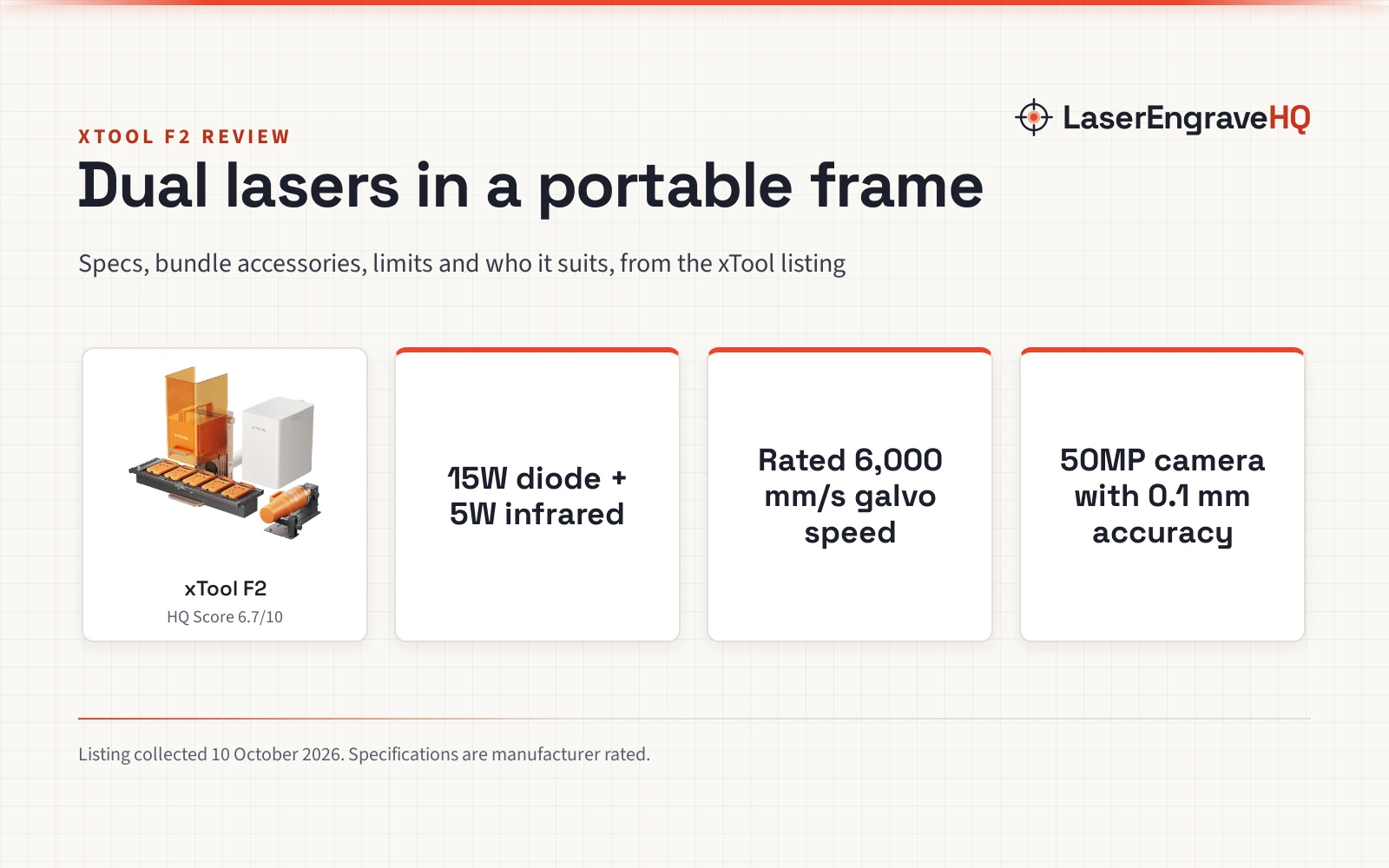
Choose the xTool F2 if your business centers on rapid surface marking of metal jewelry, serialized tags, small craft blanks, and on-site customer orders where galvanometer speed saves time. Read our xTool F2 review for an analysis of its marking capabilities.
Common mistakes to avoid
- Expecting a galvanometer marking unit to cut thick lumber like a flatbed diode gantry.
- Assuming unrated orange shields replace certified safety eyewear matching specific laser wavelengths.
- Processing hazardous materials such as PVC, vinyl, PVC faux leather, polycarbonate, or ABS.
- Running laser equipment indoors without proper exhaust ventilation or an external fume extractor.
- Overlooking material height limits when setting up cylindrical drinkware or pre-assembled blanks.
SCULPFUN iCube Ultra vs xTool F2: the short version
- Pick the SCULPFUN iCube Ultra for an enclosed Class 1 machine that handles thin wood cutting and dual-wavelength engraving across a 150 x 150 mm working area.
- Pick the xTool F2 for high-speed galvanometer surface marking on jewelry, metal tags, and small craft blanks.
- Choose the iCube Ultra if you need an enclosed work area with safety interlocks for home or classroom crafting.
- Choose the xTool F2 if you attend craft fairs or pop-up markets requiring fast on-site personalization.
- Always confirm ventilation, fire safety, and material suitability before starting your jobs.
FAQ: lasers and CNC
Can the SCULPFUN iCube Ultra cut wood and acrylic?
The 12W blue diode laser module handles light cutting on thin craft woods and dark opaque acrylic sheets. While the maker advertises cutting capability, no maximum cutting thickness in millimeters is published for the iCube Ultra. Note that 450nm blue diode lasers cannot cut clear acrylic because transparent sheets do not absorb the blue light wavelength.
Can the xTool F2 mark bare metal?
Yes. The xTool F2 incorporates an infrared laser source designed to mark metallic surfaces such as stainless steel and coated metal blanks without chemical sprays. However, high-conductivity metals like bare aluminum or brass typically require higher-power pulsed fiber systems rather than compact portable lasers.
What is the difference between gantry and galvanometer lasers?
A gantry laser moves the laser carriage along linear rails over a flat bed, providing consistent cutting across a rectangular grid. A galvanometer laser remains stationary, using high-speed mirrors to steer the beam for rapid surface marks.
Do enclosed laser engravers require safety glasses?
The SCULPFUN iCube Ultra features a Class 1 enclosed housing with an acrylic cover, but certified laser safety glasses matching the laser wavelength remain recommended whenever inspecting materials or working with opened shields.
Can these machines engrave cylindrical tumblers?
Yes. The SCULPFUN iCube Ultra supports cylindrical objects when paired with the RA Mini rotary roller, within its 80 mm clearance height. The xTool F2 also supports rotary accessories designed for galvanometer marking.
Related: our laser engraver hub, the detailed SCULPFUN iCube Ultra review, and our xTool F2 review. Also see our guides on enclosed laser engravers, portable laser engravers, and how to choose a laser engraver.