Brass vs Copper for Laser Engraving: Which One Should You Buy?
Brass vs copper for laser engraving compared: reflectivity, thermal conductivity, which laser marks each metal, and four copper sheet blanks ranked for practice.

On this page
Top picks at a glance
As an Amazon Associate I earn from qualifying purchases.
- 1
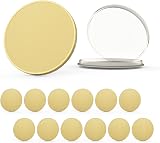 12 Pcs 40mm X 3mm Brass Coin Blanks for Laser Engraving9.5/10View on Amazon
- 2
 60 Pcs Lasable Engravable Blanks9.8/10View on Amazon
- 3
 10 Pcs Blank Challenge Coin9.2/10View on Amazon
- 4
 Brass Coin Blanks for Challenge CoinsView on Amazon
- 5
 Laser Engraving Blanks CO2 Engravable Black Over Brass PlatedView on Amazon
- 6
 2 Pack Brass SheetsView on Amazon
- 7
 10PCS 40mm Blank Brass CoinsView on Amazon
- 8
 Brass Engraving Name Plate Set 15 Pieces 3 Styles Mixed SizesView on Amazon
- 9
 Nuogo 6 Pcs Brass Sheet 6 x 6 Inch 20 Gauge ThicknessView on Amazon
For laser engraving, brass is the easier metal. Brass marks cleanly with a fiber laser, while pure copper’s high reflectivity and thermal conductivity make it the harder of the two to mark: the beam’s energy reflects away and the heat spreads instead of biting. Neither metal engraves well with a diode or CO2 laser; both want a fiber laser, or a marking compound on slower machines. If you are buying blanks to practice on, the copper sheets below are widely available and cover the common sizes.
Other machines to compare
 Brass Coin Blanks for Challenge CoinsCheck price on Amazon
 Laser Engraving Blanks CO2 Engravable Black Over Brass PlatedCheck price on Amazon
 2 Pack Brass SheetsCheck price on Amazon
 10PCS 40mm Blank Brass CoinsCheck price on Amazon
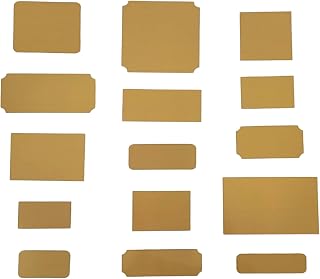 Brass Engraving Name Plate Set 15 Pieces 3 Styles Mixed SizesCheck price on Amazon
 Nuogo 6 Pcs Brass Sheet 6 x 6 Inch 20 Gauge ThicknessCheck price on Amazon
LaserEngraveHQ earns a commission from purchases made through these links, at no extra cost to you. Read our affiliate disclosure.
Brass vs copper for laser engraving: the short answer
Choose brass for crisp marks with less fuss: as a copper-zinc alloy it absorbs the beam better than pure copper and marks well on a fiber laser. Choose copper when the project calls for copper’s look or conductivity, and accept that it needs more power, slower speeds or multiple passes. On a diode or CO2 laser, neither bare metal marks well; that is a job for fiber, or for a laser marking spray on the surface. For how brass compares with another common metal, see brass vs stainless steel for laser engraving.
Why copper is harder to mark
Pure copper reflects a large share of the beam and conducts heat away from the mark point fast, so the energy that should vaporize the surface spreads into the sheet instead. The result on an underpowered setup is a faint ghost of a mark or none at all. Thinner sheet helps: the 0.5 mm Adrattnay sheets below need less energy than the 1 mm sheets, though none of the listings states laser settings. Copper also oxidizes, which is why three of the four listings ship the sheets with protective film on both sides; peel it before marking and the surface is pristine.
Why brass marks easier
Brass’s alloy structure lowers both reflectivity and thermal conductivity compared with pure copper, so more beam energy stays where you put it. On a fiber laser, brass takes a dark, readable mark with ordinary settings, which is why it is a popular choice for plaques, tags and instruments. The same fiber laser that marks brass easily will need more coaxing on copper. If you only have a CO2 machine, see can CO2 laser engrave brass before buying blanks.
Which laser for each metal
Fiber is the answer for both. A standard fiber laser marks brass and copper; a MOPA fiber adds color marking on metals for those who want it, as covered in fiber vs MOPA laser for metal. Diode lasers mark coated metals and can leave a faint mark on brass with marking compound, but bare copper largely defeats them. CO2 lasers reflect off bare copper and brass alike; they cut wood and acrylic, not these metals. Match the machine to the metal before buying either.
Copper blanks to practice on
These four copper sheet listings are the practice stock, ranked by score. The Adrattnay 8-pack leads: eight 4 x 4 inch sheets at 24 gauge (0.5 mm) with double-side protective film, and the listing explicitly mentions laser cutters, laser marking and laser cutting among the compatible processes. The LSVERDE 2-pack gives larger 10 x 8 inch sheets at 18 gauge (1 mm) in 99.9% pure copper with double-sided film against scratches and oxidation. The iteshuai 2-pack offers 4 x 4 inch sheets at 18 gauge (1 mm) with blue protective film on both sides, and notes the cut edges may be sharp. The K&S Precision Metals 6602 is a single 0.050-inch by 5 by 7 inch copper etching plate in Alloy 110, half-hard, made in the USA.
Choosing between them is mostly about size and thickness. The 10 x 8 inch LSVERDE sheets give the most working area per sheet for larger designs; the 4 x 4 inch packs suit small tags, pendants and practice pieces. The K&S plate’s half-hard temper suits pieces that must hold their shape; the pure sheets state no temper. All four are 99.9% pure copper or Alloy 110, so marking behavior is comparable; pick on size, thickness and pack count.
Buying copper sheet: reading the listing
When you compare copper sheet listings, four lines tell you most of what matters for laser work. First, gauge and thickness: the Adrattnay 8-pack is 24 gauge (0.5 mm), the iteshuai and LSVERDE packs are 18 gauge (1 mm), and the K&S plate is 0.050 in thick. Thinner sheet marks with less energy and suits tags and practice pieces; thicker sheet stays rigid for finished work. Second, sheet size and pack count: eight 4 by 4 in sheets (Adrattnay), two 4 by 4 in sheets (iteshuai), two 10 by 8 in sheets (LSVERDE), or a single 5 by 7 in plate (K&S). Bigger sheets suit larger designs; bigger packs suit repeated practice. Third, purity and temper: three listings state 99.9% pure copper with no temper stated, while the K&S plate is Alloy 110, half-hard, which holds its shape better in handling. Fourth, surface protection: three listings ship protective film on both sides, which guards against scratches and oxidation until you peel it before marking.
Surface prep before marking
Peel the protective film, wipe the sheet clean, and handle by the edges: fingerprints and oxidation dull the mark. The iteshuai listing warns the cut edges may be sharp, so gloves are sensible. Secure the sheet flat on the bed; thin 0.5 mm stock can lift or warp under heat, which throws off focus. A flat, clean, film-free surface is the cheapest upgrade to mark quality.
FAQ: lasers and CNC
Can a diode laser engrave copper?
Bare copper largely defeats diode lasers; the reflectivity and heat spread win. Use a fiber laser, or a marking compound on the surface with the diode.
Is brass easier than copper on a fiber laser?
Yes. Brass absorbs the beam better and marks with ordinary fiber settings, while copper typically needs more power, slower speeds or extra passes.
What thickness should I start with?
Thinner sheet marks with less energy. The 0.5 mm Adrattnay sheets are the thinnest here; the 1 mm sheets suit practice where you want rigidity.
Do I need to remove the protective film?
Yes. Three listings ship film on both sides; peel it before marking so the beam hits clean metal, and handle the sheets carefully as the iteshuai listing notes sharp edges.
Does copper thickness matter for marking?
For marking, less than for cutting. Thinner sheet reaches marking temperature with less energy, but the beam only affects the surface either way. Pick thickness for the finished piece’s rigidity, not for mark quality.
Can I cut copper sheet with my laser?
Only with enough power and the right wavelength. The Adrattnay listing mentions laser cutting as a compatible process, but thin sheet on a fiber laser is a different job than a CO2 trying to cut copper.
Related: the best metal business cards roundup.