Handheld 3d Scanner vs Desktop 3d Scanner: Which One Should You Buy?
Creality handheld and desktop 3D scanners compared on accuracy, color capture, portability, scanning modes and stated warranty.

On this page
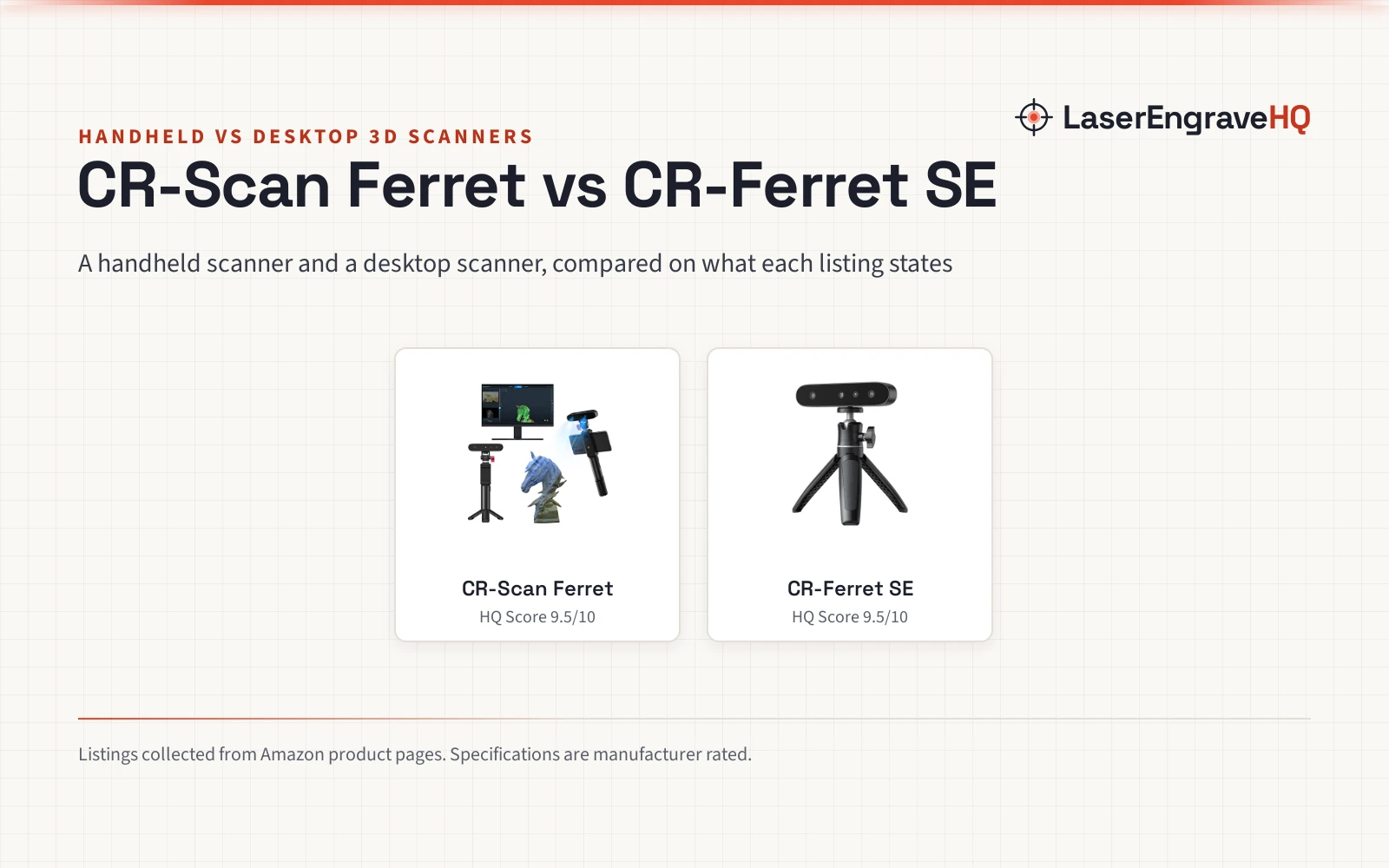
A maker who wants to turn a physical object into a printable model faces a form-factor choice: handheld 3d scanner vs desktop 3d scanner. The handheld side travels to the object, while the desktop side stays tied to a computer. This comparison puts the Creality CR-Scan Ferret against the Creality CR-Ferret SE, using what each listing states about accuracy, color capture, portability and scanning modes, and it ends with a short verdict on who should pick which side.
As an Amazon Associate I earn from qualifying purchases. LaserEngraveHQ earns a commission from purchases made through these links, at no extra cost to you. Read our affiliate disclosure.
Verdict: the CR-Scan Ferret is the pick for scanning away from a desk, with Android phone scanning and a 5V power bank option, while the CR-Ferret SE is the pick for steady bench work, with anti-shake tracking and spray-free scanning of dark or metal objects. Choose by where the object sits, not by the badge on the box.
Machines on the list

Creality CR-Scan Ferret 3D Scanner for 3D Printing
A handheld 3D scanner with dual-mode capture, full-color textures, Android phone scanning and a 5V power bank option.
Pros
- High-accuracy mode at up to 0.1 mm and up to 0.16 mm resolution, plus wide-range mode
- Up to 30 FPS point cloud capture with up to 60 FPS image processing
- Full-color textures from a built-in RGB camera
- Scans on the go from a 5V power bank or a compatible Android device
Cons
- Mobile scanning supports Android devices only, per the listing device note
- System requirements include RAM 8GB and Windows 10/11 or macOS 11.7.7 or newer
- Resolution of up to 0.16 mm applies to high-accuracy mode only
- No spray-free claim for dark or metal objects in the listing
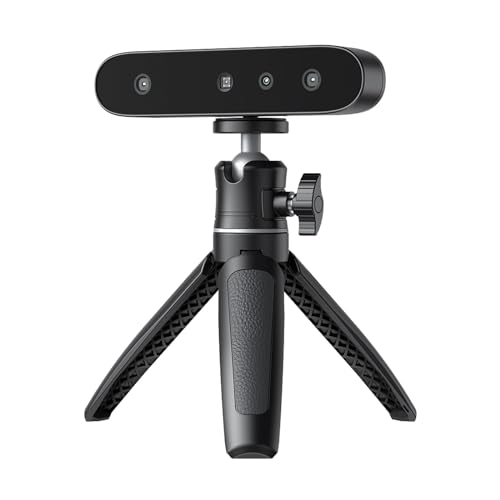
Creality CR-Ferret SE 3D Scanner Desktop Fast 0.1
A desktop-positioned 3D scanner with anti-shake tracking, 24-bit full-color capture and spray-free scanning of dark or metal objects.
Pros
- Anti-shake tracking steadies scans from unsteady hands
- Scans black and metal objects without spraying, per the listing
- 24-bit full-color capture from a built-in 2MP camera
- 0.1 mm stated accuracy for precision-demanding work
Cons
- PC scanning only; no mobile phone scanning, per the listing
- No battery handle included, per the listing
- Title calls it desktop while bullets describe a portable, carry-anywhere device
- No scanning speed figure stated in the listing
Side by side
| Spec | CR-Scan Ferret | CR-Ferret SE | Notes |
|---|---|---|---|
| HQ Score | 67 | 64 | Raw totals from the product scores |
| Accuracy | Up to 0.1 mm | 0.1 mm | Both listings state 0.1 mm |
| Resolution | Up to 0.16 mm | Not stated in the listing | Only the Ferret listing states resolution |
| Color capture | Full-color RGB camera | 24-bit full-color, 2MP camera | Both listings state full color |
| Scanning speed | Up to 30 FPS point cloud capture | Not stated in the listing | Only the Ferret listing states speed |
| Scanning approach | Dual-mode: wide-range and high-accuracy | Anti-shake tracking, one-shot imaging | Range against steadiness |
| Dark and metal objects | Not stated in the listing | Scans without spray, per listing | Only the SE listing states this |
| Mobile scanning | Android devices only | PC scanning only | Neither listing offers iOS phone scanning |
| Power on the go | 5V power bank or Android device | No battery handle | Only the Ferret listing offers roaming power |
| Weight | 0.6375 pounds | 105g | Different units as listed |
| Size | 1.02 inches x 4.72 inches x 1.18 inches | 4.57 inches x 2.76 inches x 8.15 inches | As listed for each product |
| System requirements | Windows 10/11, macOS, Android; iOS in requirements, phone scanning Android only | Mac and Windows, PC scanning only | Ferret listing gives fuller detail; phone scanning Android only |
| Warranty | 1 year | 1 year | Same stated term |
Specifications are manufacturer rated, as published on each listing and collected 3 November 2026.
Handheld 3d scanner vs desktop 3d scanner: accuracy and color
Both listings state 0.1 mm accuracy, the Ferret as up to 0.1 mm and the SE as 0.1 mm, so accuracy alone does not separate them. The CR-Scan Ferret listing adds resolution of up to 0.16 mm in high-accuracy mode and a dual-mode design: wide-range mode covers up to 560 820 mm per scan, while high-accuracy mode handles fine detail. The CR-Ferret SE listing states no resolution figure and no wide-range figure, so its detail claims rest on the 0.1 mm accuracy figure and its anti-shake tracking.
Color capture also differs in wording. The CR-Scan Ferret listing describes a built-in RGB camera that captures full-color textures. The CR-Ferret SE listing describes 24-bit full-color scanning from a built-in 2MP camera. Color wording differs: the Ferret listing describes realistic textures, while the SE listing describes a lifelike representation. Only the Ferret listing states a dual-mode range claim, and only the SE listing states an anti-shake claim.
Portability and where you scan
Portability is the clearest split. The CR-Scan Ferret listing says low power draw allows scanning from a 5V power bank or a compatible Android device, and its device note says the Ferret supports Android devices only for mobile scanning. The CR-Ferret SE listing says the SE does not include a battery handle and supports PC scanning only. A reader who wants to walk around an object with a phone in hand fits the Ferret side; a reader who scans at a desk with a computer nearby fits the SE side.
The SE listing is less settled on form factor than its title suggests. The title calls it a desktop scanner, yet the bullets call it compact and portable, weighing just 105g, and easy to carry. The note settles the practical point: without a battery handle and with PC scanning only, it still needs a computer nearby, so treat PC scanning only as the practical limit, regardless of the portable wording.
Software and system requirements
The CR-Scan Ferret listing gives the fuller system picture. It lists Windows 10/11 (64-bit) with an i5 8th Gen processor or above and RAM 8GB, macOS 11.7.7 or newer with Apple M1, M2, M3 or M4 or an Intel i5 8th Gen processor or above and RAM 8GB, Android 10 or newer with RAM 8GB, Wi-Fi 6 and App V2.0.2 or newer, and iOS 15 or newer with RAM 4GB for iPhone 11 or later. One wrinkle deserves attention: the system requirements mention iOS, yet the device note says the Ferret supports Android devices only for mobile scanning, so phone scanning should be read as Android only.
The CR-Ferret SE listing states Mac and Windows support in its title and PC scanning only in its note, without the detailed version and memory figures the Ferret listing gives. Its headline extras are elsewhere: anti-shake tracking based on one-shot 3D imaging, and spray-free scanning of black or metal objects, which the listing pitches at cars, car parts and tires. The Ferret listing makes no spray-free claim for dark or metal objects.
Choose the CR-Scan Ferret if
- You want to scan objects where they sit, away from a desk.
- You want Android phone scanning with a 5V power bank option.
- You want dual-mode capture with a stated wide-range mode and high-accuracy mode.
Choose the CR-Ferret SE if
- You scan at a bench with a computer nearby.
- You scan black or metal objects and want to skip spraying, per the listing.
- You want anti-shake tracking for unsteady hands.
Project Match
- Scanning a car part or a dark metal object: CR-Ferret SE, which lists spray-free capture of black and metal objects.
- Capturing a large object on site: CR-Scan Ferret, with wide-range mode and power-bank scanning.
- Fine detail on a small object: CR-Scan Ferret, with high-accuracy mode at up to 0.1 mm and resolution of up to 0.16 mm.
- Full-color models for printing: either listing states full-color capture, the Ferret through an RGB camera and the SE through 24-bit color from a 2MP camera.
- Steady bench scanning with a computer nearby: CR-Ferret SE, with PC scanning only and anti-shake tracking.
FAQ: lasers and CNC
Which scanner is better for scanning a car part?
The CR-Ferret SE listing pitches exactly that job: it claims spray-free scanning of black or metal objects and names cars, car parts and tires. The CR-Scan Ferret listing makes no such claim.
Can the CR-Scan Ferret scan from a phone?
From an Android device, yes, per the listing device note. The listing system requirements also mention iOS, yet the device note says the Ferret supports Android devices only for mobile scanning, so phone scanning should be read as Android only.
Does the CR-Ferret SE work without a computer?
Not per the listing: the SE does not include a battery handle and supports PC scanning only, so a computer stays part of the setup.
Do both scanners capture color?
Yes. The CR-Scan Ferret listing describes full-color textures from a built-in RGB camera, and the CR-Ferret SE listing describes 24-bit full-color scanning from a built-in 2MP camera.
Related: best low-cost 3D scanner and best professional 3D scanner.