FDM vs Resin 3D Printer: Which One Should You Buy?
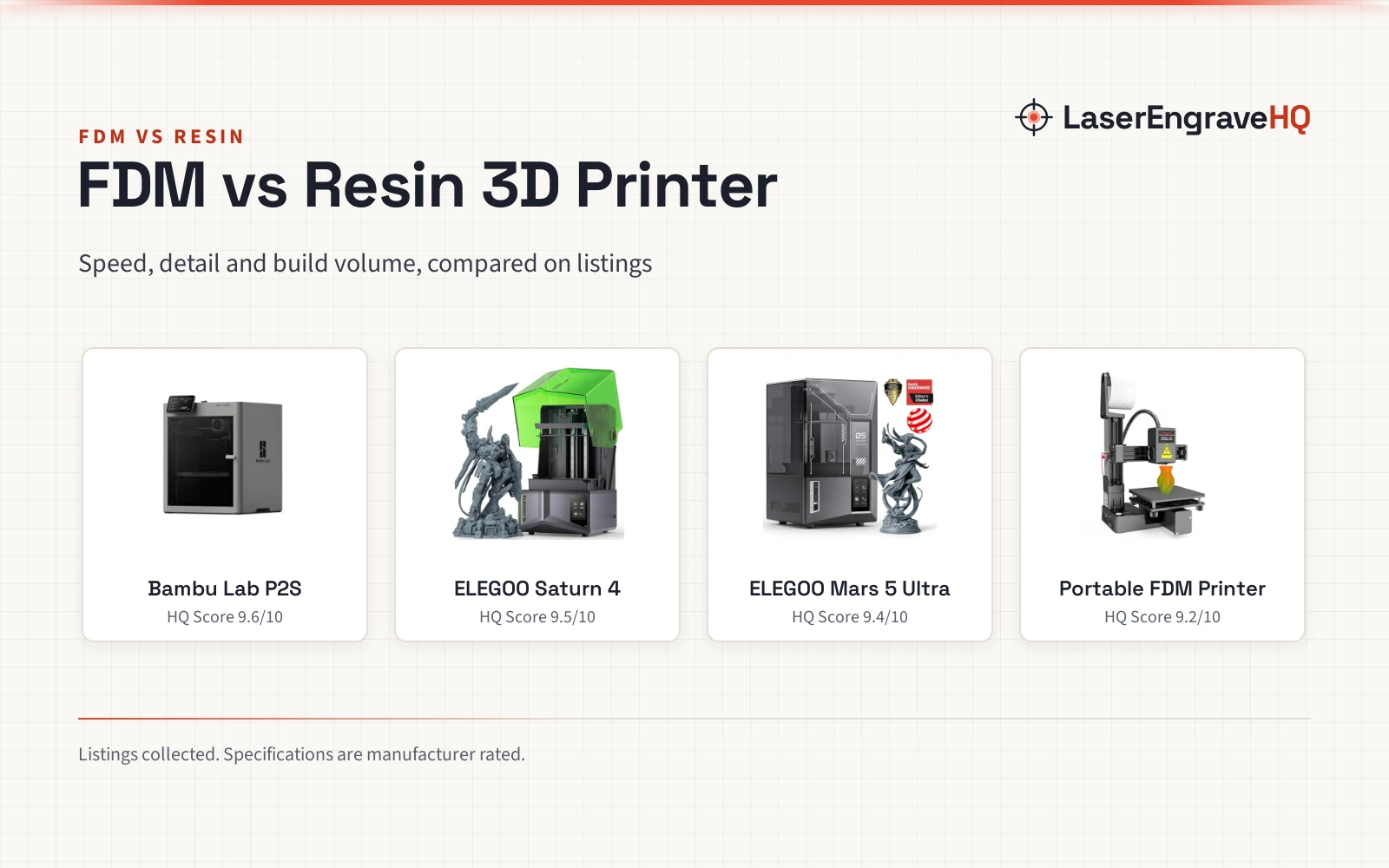
FDM and resin printers compared on speed, detail, build volume and workflow, with four listings as concrete examples.

On this page
Choosing between fdm vs resin 3d printer technology comes down to what gets printed: sturdy functional parts lean toward FDM, while small models with fine surface detail lean toward resin.
As an Amazon Associate I earn from qualifying purchases. LaserEngraveHQ earns a commission from purchases made through these links, at no extra cost to you. Read our affiliate disclosure.
Verdict: pick FDM for functional parts and filament-based printing, and pick resin for miniatures and models where fine detail matters most.

Bambu Lab P2S 3D Printer
A ready-to-use FDM printer with high-speed CoreXY printing and automatic calibration.
Pros
- Prints at up to 600 mm/s with flow compensation
- Ready to print in 15 minutes, automatic calibration
- Adaptive Airflow System with a 50 °C chamber
- Carbon filter stated for cleaner air
Cons
- The listing does not state a build volume
- Multi-color printing needs the Combo version
- AMS 2 Pro drying up to 65 °C is tied to the Combo setup
- Dimensions of 18.0 x 21.0 x 18.0 inches need a large bench

ELEGOO Saturn 4 12K Resin 3D Printer
A resin printer with a 10-inch 12K mono LCD and a large stated print volume.
Pros
- 10-inch 12K mono LCD, 11520 × 5120 pixels
- Stated print volume of 8.62 × 4.84 × 8.66 inches
- 405 nm COB light, 92% field uniformity
- Self-check, auto-bed-leveling and foreign object detection
Cons
- No safety certification is stated on the listing
- Resin handling needs a tank and cleanup the listing does not detail
- No print speed figure is stated on the listing
- Some parts are covered for half a year only
ELEGOO Mars 5 Ultra Resin 3D Printer
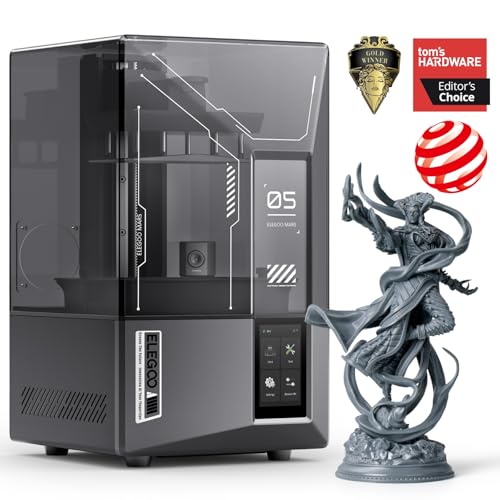
A resin printer with a 7-inch 9K mono LCD and AI camera monitoring.
Pros
- 7-inch 9K mono LCD, 18 μm XY resolution
- Print speed stated at up to 150 mm/h
- AI camera monitoring with error alerts
- Wi-Fi transfer and cluster printing stated
Cons
- No safety certification is stated on the listing
- Stated print size of 6.04 × 3.06 × 6.49 inch, below the Saturn 4 listing
- AI detection results may vary with environment and models
- Some parts are covered for half a year only

Portable 3D Printer - Compact FDM 3D Printer
A compact FDM printer with a 100x100x100mm build volume and PLA and TPU compatibility.
Pros
- Compact 100x100x100mm build volume
- PLA and TPU compatibility at 1.75mm, 0.4mm nozzle
- Removable build plate for easy model removal
- Package with 10m PLA filament, 8GB TF card and tools
Cons
- No safety certification is stated on the listing
- Build volume limits prints to small models
- Assembly and bed leveling follow video guides
- Only a 60-day replacement term is stated
Side by side
| Spec | Bambu Lab P2S | Portable FDM Printer | ELEGOO Mars 5 Ultra | ELEGOO Saturn 4 |
|---|---|---|---|---|
| HQ Score | 74 | 44 | 57 | 59 |
| Technology | FDM, CoreXY | FDM, compact | Resin, 7-inch 9K mono LCD | Resin, 10-inch 12K mono LCD |
| Print speed | Up to 600 mm/s | Not stated | Up to 150 mm/h | Not stated |
| Build volume | Not stated | 100x100x100mm | 6.04 × 3.06 × 6.49 inch | 8.62 × 4.84 × 8.66 inches |
| Detail figure | Not stated | 0.05-0.3mm layer thickness | 18 μm XY resolution | 19 × 24 μm XY resolution |
| Leveling | Automatic calibration | Manual leveling with video guides | Smart automatic leveling | Auto-bed-leveling with self-check |
| Monitoring | AI failure detection | Not stated | AI camera monitoring | Mechanical sensor, failure alarms |
| Warranty | 1 Year Manufacturer | 60-day replacement | Full warranty for one year | Full warranty for one year |
Specifications are manufacturer rated, as published on each listing and collected 3 November 2026.
Print speed and detail
Speed figures measure different things: the P2S figure is head speed in mm/s, while the Mars 5 Ultra figure is a vertical build rate in mm/h, so converting units would not make them comparable. The P2S listing states up to 600 mm/s, the Mars 5 Ultra listing states up to 150 mm/h, and the other two listings state no speed figure. Detail figures differ the same way: the resin listings state 18 μm and 19 × 24 μm XY resolution, while the portable FDM listing states 0.05-0.3mm layer thickness. Judge detail from printed samples.
Build volume
Build volume is stated for three listings and missing for the strongest FDM pick. The portable FDM listing states 100x100x100mm, which suits small models. The Mars 5 Ultra listing states 6.04 × 3.06 × 6.49 inch, and the Saturn 4 listing states 8.62 × 4.84 × 8.66 inches. The P2S listing states product dimensions of 18.0 x 21.0 x 18.0 inches but no build volume, so check the maker specifications before planning large prints.
Materials and workflow
FDM workflow centers on filament. The portable FDM listing states PLA and flexible TPU compatibility at 1.75mm, and the P2S listing describes a 50 °C chamber plus AMS 2 Pro drying at up to 65 °C. Resin workflow centers on a tank and release film: the Mars 5 Ultra listing describes tilt release technology, and the Saturn 4 listing describes a dual-inlet resin tank and a tray design to prevent spills. One P2S contradiction: the listing describes multi-color printing through the AMS 2 Pro, then notes that the P2S does not support it and that the Combo version is required.
Leveling and monitoring
Leveling and monitoring differ by listing. The P2S listing states automatic calibration with AI failure detection. The Mars 5 Ultra listing states smart automatic leveling with an AI camera, residue detection and alarms. The Saturn 4 listing states self-check and auto-bed-leveling. The portable FDM listing instead asks the maker to follow video guides to assemble, level the bed and load filament.
Safety and workspace
Safety statements are thin on the resin side. The P2S listing states a carbon filter for cleaner air while printing, and no other listing here states a safety certification. Resin printing needs a ventilated workspace and careful handling of liquid resin and the tank.
The picks: fdm vs resin 3d printer
Choose FDM if
- You print functional parts or home decor items.
- You want filament handling with no resin tank.
- You want the P2S speed of up to 600 mm/s and automatic calibration.
Choose resin if
- You print miniatures or models where fine detail matters.
- You value the Mars 5 Ultra AI camera or the Saturn 4 large stated print volume.
- You accept tank handling and cleanup.
For a first machine, see best beginners 3D printer and best entry level resin printer.
FAQ: lasers and CNC
Is FDM or resin better for beginners?
The P2S listing is aimed at beginners, and the portable FDM listing is aimed at beginners, students and hobbyists, while the resin listings stress automatic leveling and self-check. Setup differs by listing: the P2S listing states setup in 15 minutes, the portable listing requires video-guided assembly, and the Saturn 4 listing describes unbox, power on, and print.
Which prints finer detail?
The resin listings state XY resolution figures of 18 μm and 19 × 24 μm, while the portable FDM listing states 0.05-0.3mm layer thickness. Compare printed samples.
Which is faster?
The listings do not settle it: the P2S listing states up to 600 mm/s, the Mars 5 Ultra listing states up to 150 mm/h, and the other two state no speed figure.
Do resin printers need extra equipment?
The resin listings describe a resin tank and release film as part of the machine, with alarms for resin shortages.
Which has the larger build volume?
Among stated volumes, the Saturn 4 listing states 8.62 × 4.84 × 8.66 inches, above the Mars 5 Ultra listing at 6.04 × 3.06 × 6.49 inch and the portable FDM listing at 100x100x100mm.
Related: best 3D printer for small business, enclosed vs open 3D printer and filament dryer vs food dehydrator.