Bambu Lab A1 vs P1S: Which One Should You Buy?
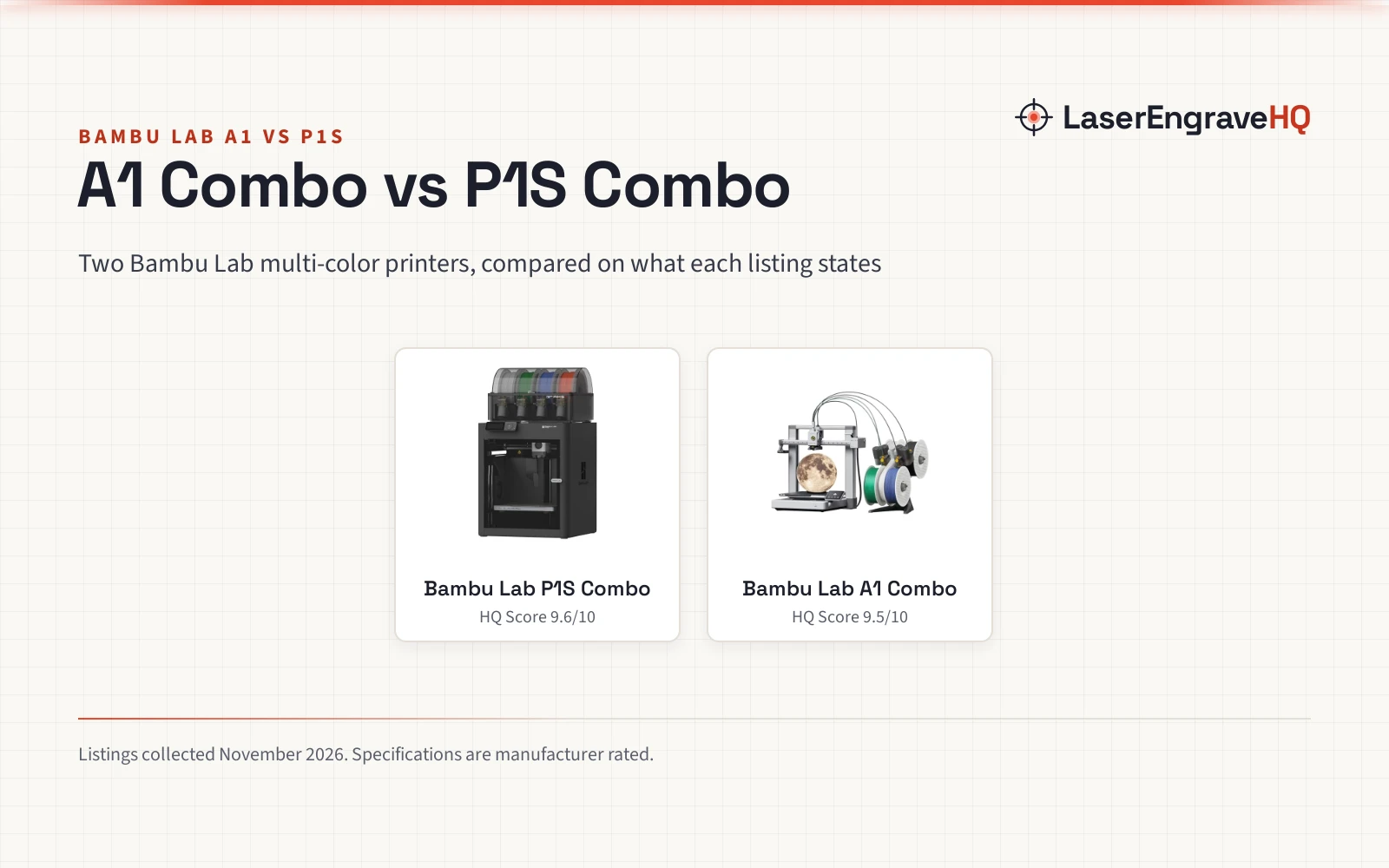
Two Bambu Lab multi-color printer combos compared on rated speed, enclosure, colors, filaments, setup and warranty.

On this page
A maker choosing between Bambu Lab printers faces a clear split: a multi-color combo with a lamp kit, or a fully enclosed multi-color combo whose enclosure is stated to improve performance for advanced filaments. This comparison puts the bambu lab a1 vs p1s side by side on speed, build, materials, software and warranty, using what each listing states.
As an Amazon Associate I earn from qualifying purchases. LaserEngraveHQ earns a commission from purchases made through these links, at no extra cost to you. Read our affiliate disclosure.
Verdict: the Bambu Lab P1S Combo is the stronger pick for advanced filaments, with a fully enclosed body, a rated 500mm/s speed and up to 16 colors. The Bambu Lab A1 Combo is the lighter start, with AMS lite multi-color printing, full-auto calibration, stated active motor noise canceling and an LED Lamp Kit for light projects. Choose by enclosure, speed figures and project type.
Machines on the list
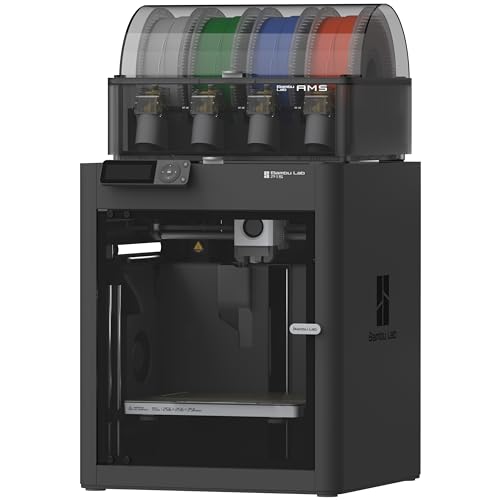
Bambu Lab P1S Combo, P1S 3D Printer and AMS
A fully enclosed CoreXY 3D printer combo with AMS, rated 500mm/s with 20000 mm/s² acceleration and up to 16 colors.
Pros
- Fully enclosed body for advanced filaments
- Rated 500mm/s with 20000 mm/s² acceleration
- Up to 16 colors with the included AMS
- Auto bed leveling with setup in 15 minutes
Cons
- 47.52 pounds, heavier than the A1 example
- Carbon and glass fiber reinforced polymer not recommended
- No safety certification stated
- Title says ready-to-use while the bullets describe setup in 15 minutes

Bambu Lab A1 Combo + LED Lamp Kit
A multi-color 3D printer combo with AMS lite and an LED Lamp Kit, with full-auto calibration and active motor noise canceling.
Pros
- Multi-color printing with AMS lite
- Full-auto calibration with Z-offset and bed-leveling
- Active flow rate compensation for smooth prints
- LED Lamp Kit for functional light projects
Cons
- No print speed stated, only 10,000 mm/s² acceleration
- AMS lite required for multi-color printing, per the listing note
- No enclosure stated
- No safety certification stated
Bambu Lab A1 vs P1S side by side
| Spec | Bambu Lab A1 Combo | Bambu Lab P1S Combo | Notes |
|---|---|---|---|
| HQ Score | 65 | 68 | Raw totals |
| Print speed | Not stated | 500mm/s, rated | A1 lists acceleration only |
| Acceleration | 10,000 mm/s² | 20000 mm/s² | Both stated |
| Colors | Multi-color with AMS lite | Up to 16 with AMS | AMS required on both |
| Enclosure | Not stated | Fully enclosed body | P1S enclosure aids advanced filaments |
| Bed leveling | Full-auto calibration | Automatic bed leveling | Both automatic |
| Filaments | Not stated | PLA, PETG, TPU, PVA, PET, ABS, ASA ideal | P1S lists PA, PC as capable |
| Warranty | 1 Year | 1 Year Manufacturer | Same term, different wording |
| Weight | 28.5 pounds | 47.52 Pounds | A1 example is lighter |
| Setup | Not stated | 15 minutes | P1S states a setup time |
Specifications are manufacturer rated, as published on each listing and collected 3 November 2026.
Print speed and precision
The P1S listing rates speed at 500mm/s with 20000 mm/s² acceleration. The A1 listing states an acceleration of 10,000 mm/s² without a print speed figure, so the two speeds cannot be compared directly from the listings. The A1 listing adds active flow rate compensation, which adjusts flow from readings to extrude with accuracy, plus full-auto calibration covering Z-offset and bed-leveling. The P1S listing adds automatic bed leveling of its own, so both sides automate the setup steps that matter for a first print.
Build and enclosure
The P1S Combo is a fully enclosed CoreXY machine weighing 47.52 Pounds with product dimensions of 15.3149606143 Inches x 18.0314960446 inches x 15.3149606143 Inches. The enclosure is stated to improve print performance for advanced filaments. The A1 Combo weighs 28.5 pounds with product dimensions of 23.01 inches x 21.06 inches x 16.77 Inches, and the A1 listing states no enclosure. The A1 side adds a simplified touchscreen, a 1-Clip quick swap nozzle for maintenance, and active motor noise canceling for a quiet printing environment. For the enclosure question in general, see enclosed vs open 3D printer.
Materials and filaments
The P1S listing gives a full filament picture: ideal filaments are PLA, PETG, TPU, PVA, PET, ABS and ASA; PA and PC are capable; carbon and glass fiber reinforced polymer is not recommended. The A1 listing states no filament list, but its multi-color story runs through AMS lite, with a note that AMS lite is required and to get the A1 Combo or buy AMS lite separately. The A1 Combo also includes an LED Lamp Kit: print compatible lamp designs, install the included LED Kit, and turn prints into functional decorative lights for DIY lighting projects, custom décor and creative gifts.
Software and ecosystem
Both listings name the MakerWorld model library, and both describe a beginner-friendly setup: the P1S listing gives setup in 15 minutes, while the A1 listing describes full-auto calibration and a simplified touchscreen interface. The P1S title says ready-to-use while its bullets describe setup in 15 minutes, so treat the first print as quick rather than instant. The A1 title reads “Read to Use” while its bullets describe full-auto calibration, a wording quirk rather than a separate claim.
Support and warranty
Both listings state a 1 year term, worded as “1 Year” for the A1 Combo and “1 Year Manufacturer” for the P1S Combo. No other support terms are stated, and neither listing states a laser class, interlock, e-stop or safety certification, so both safety scores are zero.
Choose the Bambu Lab P1S Combo if
- Enclosed printing matters: the fully enclosed body is stated to improve performance for advanced filaments.
- Rated speed and color count matter: 500mm/s, 20000 mm/s² acceleration and up to 16 colors are all stated.
- A stated filament range matters: ideal, capable and not-recommended filaments are all listed.
Choose the Bambu Lab A1 Combo if
- A lighter machine matters: the A1 example weighs 28.5 pounds against 47.52 Pounds for the P1S example.
- Light projects matter: the LED Lamp Kit turns compatible prints into functional decorative lights.
- Quiet printing matters: active motor noise canceling is stated, with a 1-Clip quick swap nozzle for maintenance.
Project Match
- Multi-color models: both combos, through AMS lite on the A1 side and AMS on the P1S side, with up to 16 colors stated for the P1S.
- Functional light projects: the A1 Combo, with the LED Lamp Kit for illuminated models.
- Advanced filament prints (ASA, PA, PC): the P1S Combo, with its fully enclosed body.
- Quick-start beginner projects: the P1S Combo, with setup in 15 minutes; the A1 Combo, with full-auto calibration.
- Work area: Not stated for either listing.
FAQ: lasers and CNC
Which is faster, the A1 or the P1S?
The P1S listing rates speed at 500mm/s with 20000 mm/s² acceleration. The A1 listing states 10000 mm/s² acceleration without a print speed figure, so the two speeds cannot be compared directly from the listings.
Do both print in multiple colors?
Yes, with an AMS unit: the A1 Combo uses AMS lite and the P1S Combo uses AMS, with up to 16 colors stated for the P1S. The A1 listing notes AMS lite is required and to get the A1 Combo or buy AMS lite separately.
Is the P1S enclosed?
Yes, the P1S listing describes a fully enclosed body that improves print performance for advanced filaments. The A1 listing states no enclosure.
Which is better for a beginner?
Both aim at beginners: the P1S lists setup in 15 minutes with auto bed leveling, and the A1 lists full-auto calibration with a simplified touchscreen. Best beginners 3D printer compares more beginner machines.
Related: best 3D printer for small business, FDM 3D printers and CNC machine vs 3D printer.